Where AI Actually Helps a Video Editor — and Where It Still Doesn't
The useful question is not "is AI good at video editing" but "what is this particular feature being asked to do". Some of it is measurement, which computers have always been good at. Some of it is judgement, where the honest answer is a proposal you approve. And some of it is generation, which is where the interesting failures live.
This is a working editor's taxonomy of the three, written from the inside of building one — including the feature we finished and decided not to ship.
The short version
- Measurement — word timings, silences, loudness. Trust it; verify by looking.
- Proposal — filler words, retakes, clips, chapters, speaker names. Trust it to shortlist, never to commit.
- Generation — new voice, new sound, new frames. The bar is much higher, and "impressive" is not the same as "usable".
- The tell — a good AI feature shows you what it will do before it does it, and undoes in one step.
Tier one: the things that are measured
When VidCarve tells you a pause is 1.2 seconds, that is not a guess. It is a measurement taken from the word timings and confirmed against voice-activity detection, and the number in the interface is the number the editor will act on.
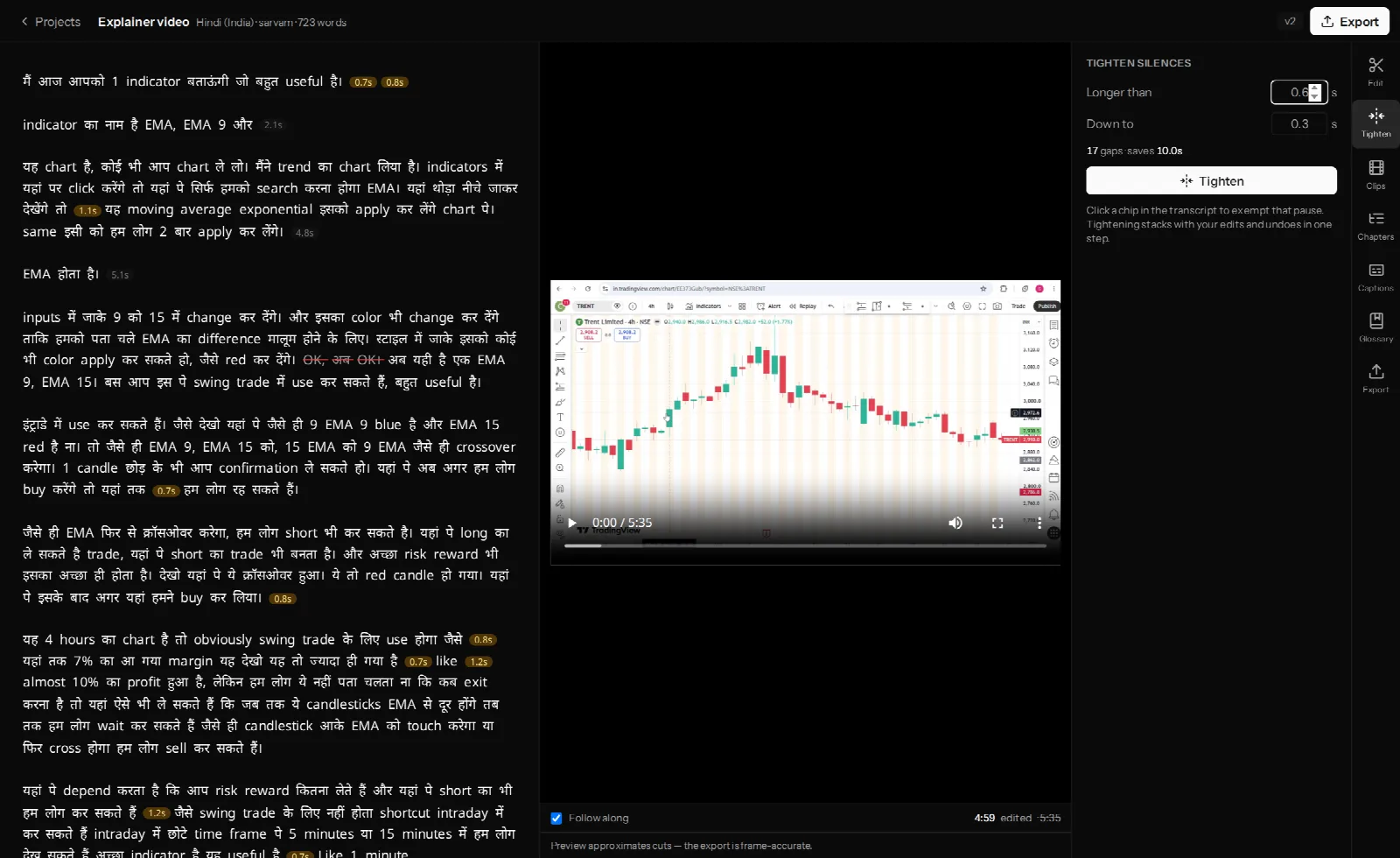
This tier is boring and it is where most of the actual time saving comes from. Reading a waveform to find dead air is a thing humans are slow and inconsistent at, and machines are neither. The design rule that follows is simple: show the number before the action. A tool that says "17 gaps · saves 10.0s" is offering a decision. A tool that says "Enhancing…" is asking for faith.
Tier two: the things that are proposed
Here the model is making a judgement that a person could reasonably disagree with, so the output is a shortlist rather than an edit.
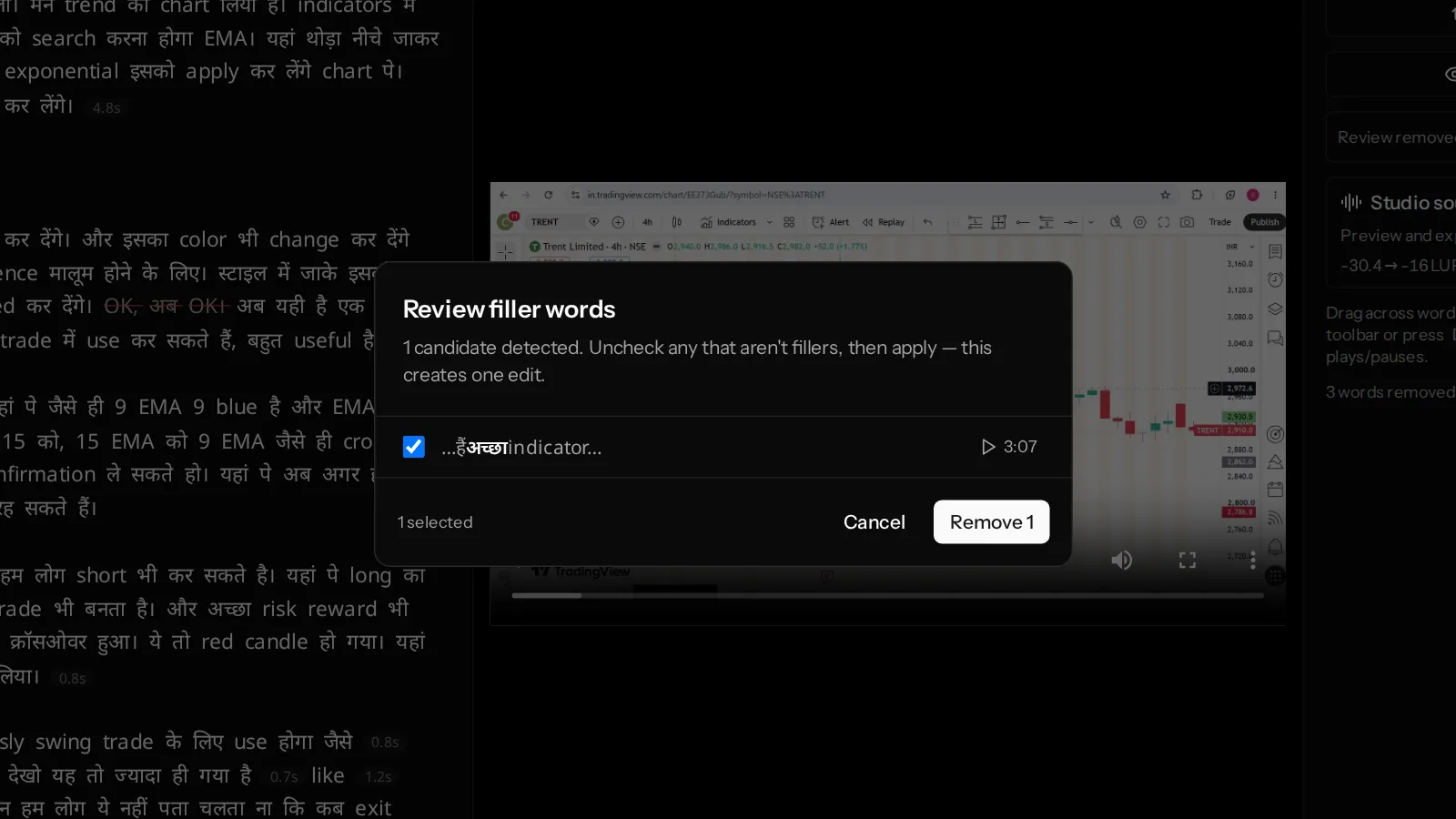
Filler words: mostly not an AI problem
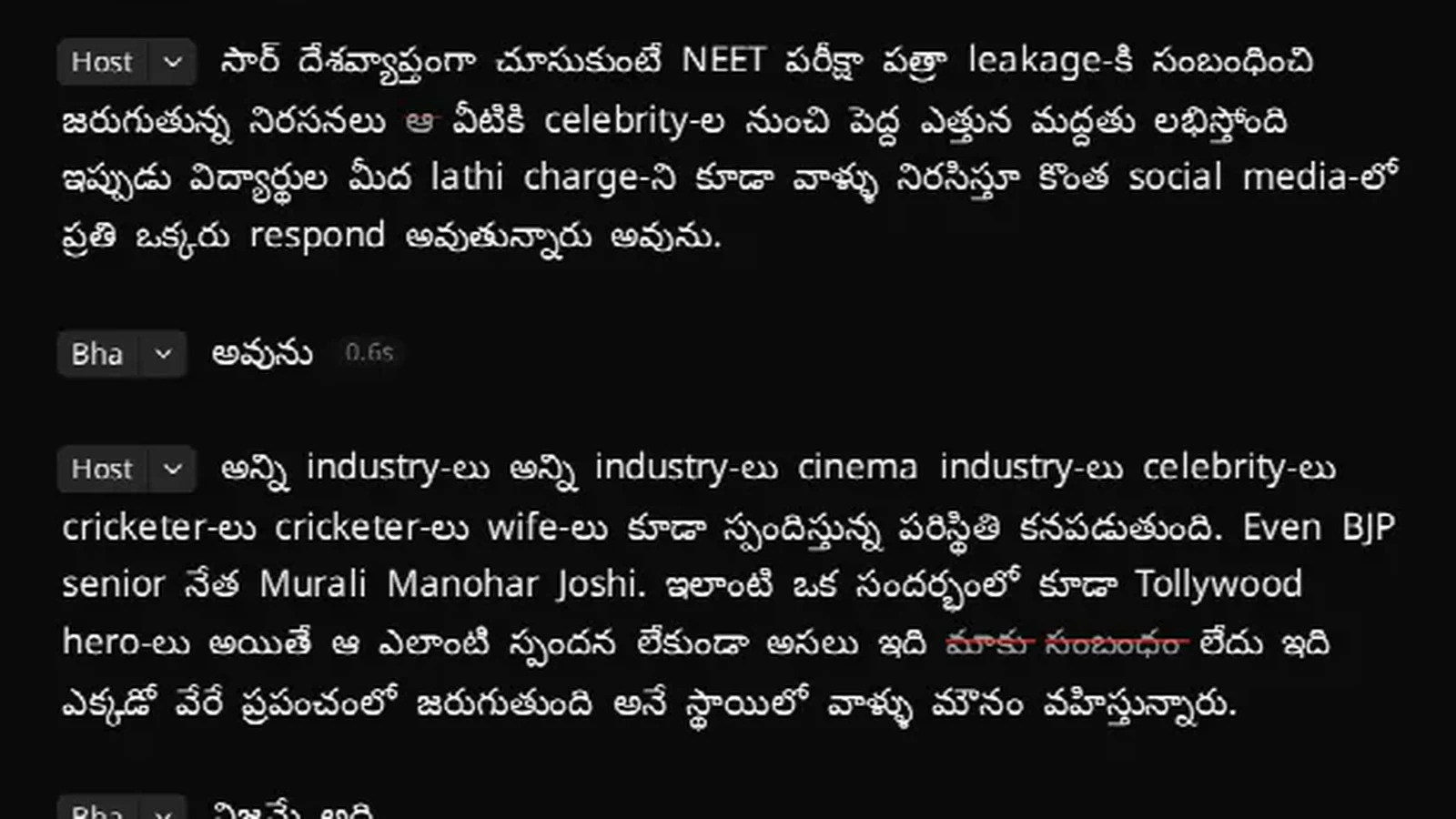
Pure hesitations — hmm, umm — mean nothing else, so matching them is enough. The hard cases are words that are only sometimes fillers: Hindi वो is usually the pronoun "that", Telugu ఆ is usually a demonstrative, and cutting every instance would shred the sentence.
The fix turned out not to need a model at all. Measure how long the word was actually spoken: in real transcripts the pronoun वो lands in the 0.04–0.22 second range while the hesitation runs closer to a second. A duration threshold separates them more reliably than a classifier would, and — unlike a classifier — you can explain it to a user in one sentence.
Retakes: a real reasoning task, and it costs time
Finding the sentence you fumbled, stopped, and said again properly is genuinely hard. Both versions read as sensible sentences, so string matching finds nothing, and the difference between a fumbled restart and deliberate repetition for emphasis is a judgement about intent.
VidCarve's retake finder takes four to six minutes on a normal video, and that is not a performance bug — it reads the entire transcript before answering, because the evidence for "this was a retake" is often several sentences away. What comes back is a paired list: the take it proposes to cut, and the take that replaces it. Nothing is pre-checked. That pairing is the feature; a bare list of "suspicious" lines would be useless.
Clips and chapters: ranking, not deciding
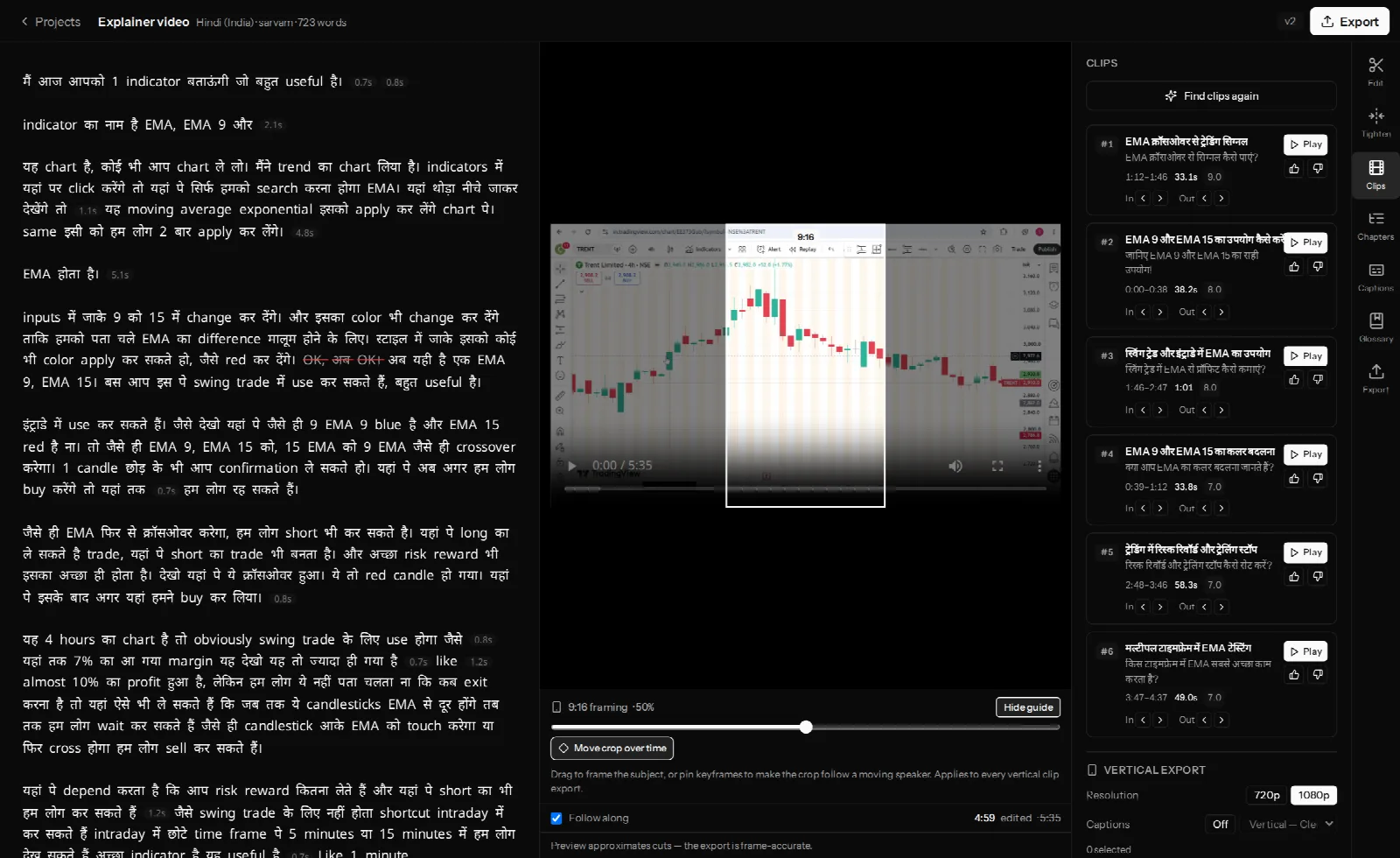
Clip finding and chapter finding are the same shape. The model reads the transcript and proposes boundaries; you approve, nudge or discard them. Clip edges then snap to real word boundaries and pauses, because a clip that starts mid-syllable is wrong no matter how good the moment was.
Speaker names: guess, then get out of the way
People introduce each other in the first minute of most interviews, so reading the conversation for real names works surprisingly often. It also fails, and the design that matters is what happens then: a name you have typed is never overwritten by a later guess. Automation that overrules a human correction is worse than no automation.
Tier three: the things that are generated
This is where the demos are impressive and the shipping decisions are hard, because a generated artefact has no ground truth to check it against. You cannot look at a synthesised sentence and see that it is wrong the way you can look at a measured pause.
Why our audio clean-up filters instead of regenerating
Studio sound reduces noise and levels loudness by processing the recording you made. The fashionable alternative is to synthesise a new voice track from it, which can sound extraordinary — and which has to decide what sound it is reconstructing. Models are trained overwhelmingly on English. The retroflex consonants, aspirated stops and vowel-length distinctions that separate one Indian-language word from another are exactly the details a confident English-trained reconstruction rounds off. Filtering is less spectacular and does not invent anything. How Studio sound works covers the chain in detail.
The voice cloning we built and did not ship
The clearest example of this tier is a feature you cannot use in VidCarve today.
We built overdub: retype a fumbled phrase and have it re-spoken in the speaker's own voice, spliced back into the timeline. The whole pipeline works. It clones from a few seconds of the speaker in the recording itself, re-speaks the entire breath group rather than the single word — a word synthesised alone gets isolated, stressed, unnatural prosody and never blends — matches the loudness of what it replaces, mixes room tone underneath so the splice is not a hole of digital silence, and force-aligns the result so the new words carry timings for captions and clips.
It is switched off on every plan. Zero-shot voice similarity on Indian-language speech was not good enough: the words came out right and it did not reliably sound like the person. A correction that sounds like someone else is worse than a visible cut, so it stays off until the similarity improves.
That is the honest state of generative voice for Indian languages in 2026, from someone who wanted it to work.
The pattern worth stealing
If you are evaluating any AI editing tool, these four questions separate the useful from the demo:
- Does it tell you what it will do before it does it? A count, a duration, a list.
- Can you undo it in one step? A pass that lands as fifty separate edits is a pass you cannot reject.
- Does it show its reasoning where reasoning is involved? "This take replaces that take" beats "removed 12 segments".
- Does it defer to you permanently? If your correction gets overwritten by the next run, the automation is fighting you.
Frequently asked questions
Will AI edit my video for me?
It will find candidates far faster than you can and it will do the measuring perfectly. Deciding what the video is about, and what to cut because it is boring rather than because it is silent, is still yours.
Is AI transcription accurate enough to edit from?
For English and major Indian languages, yes — with the caveat that you are editing the transcript, so an error is visible and fixable rather than hidden. Where AI transcription struggles with Indian languages covers the specific failure modes.
Why does the retake finder take minutes when everything else is instant?
Because it reasons over the whole transcript rather than scanning for repeated strings. That is also why it can tell a genuine restart from deliberate repetition.
Is AI voice cloning usable for Hindi or Telugu yet?
For getting the words out, yes. For sounding like a specific person from a few seconds of reference audio, our own testing said not yet — which is why the feature is built but disabled.
Next steps
- Remove filler words, silences and retakes — the review-first workflow in practice.
- Why AI transcription struggles with Indian languages
- The best Descript alternatives for Indian creators